The Kickstart course format, i.e. the start view of a new empty course, changed with the Moodle update on 16 June 2026. When you want to copy your old course as a basis for a new one, you can find the list of your old courses by selecting Course library from the Course template dropdown menu.
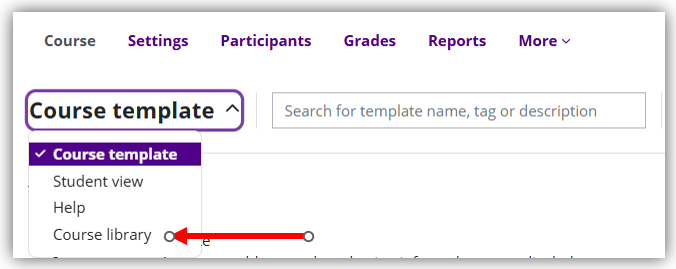
The Course library view didn't wotk before 20 August. The new corrected Kickstart plugin version was installed on 20 August and now you can copy Moodle courses with this method normally.
If the Course library does not open for you, you can copy using the Import function:
- In the course settings, change the course format to the format you want to use (recommended: Custom sections):
Course main page > Settings tab > Course format > Format - From the More menu, select Course reuse.
Select Import, then search for your old course from which you want to copy content to the new course.
See: Quick instructions: Course templates (Kickstart format) and Quick instructions: Copy course (import) | TUNI Moodle