Quick instructions
10. AI traffic lights
10.2. AI traffic lights for teachers
- With AI traffic lights, teachers can guide students on how to use AI in assignments within the course.
- TAU: Teachers are recommended to use AI traffic lights. If the AI traffic lights model is used in a course, it’s recommended to explain it at the beginning, for example in the course instructions or during the first lecture.
- TAMK: Teachers must use AI traffic lights in all new Moodle implementations starting in 2026.
- The AI traffic lights model used in Tampere universities is based on Arene’s recommendations on the use of artificial intelligence for universities.
-
Arene released a new version of the AI traffic light model in April 2026, and it has been updated in TUNI Moodle on 4.8.2026. The new version contains only minor wording refinements to the explanatory texts for the traffic lights. Please note that the explanatory texts of AI traffic lights previously added to courses will not be updated automatically to the latest version. If necessary, add the traffic lights again to ensure that the explanatory texts are also updated to the latest version. You can view the explanatory text of an AI traffic light by hovering your mouse over the traffic light for a moment.
Add AI traffic light
You can add AI traffic lights anywhere in Moodle where the content can be edited with TinyMCE text editor (default text editor in Moodle). Typically, it’s best to add the AI traffic light at the end of the assignment description on its own line.
In the text editor, click on the "Lego brick" icon, i.e. the C4L button.

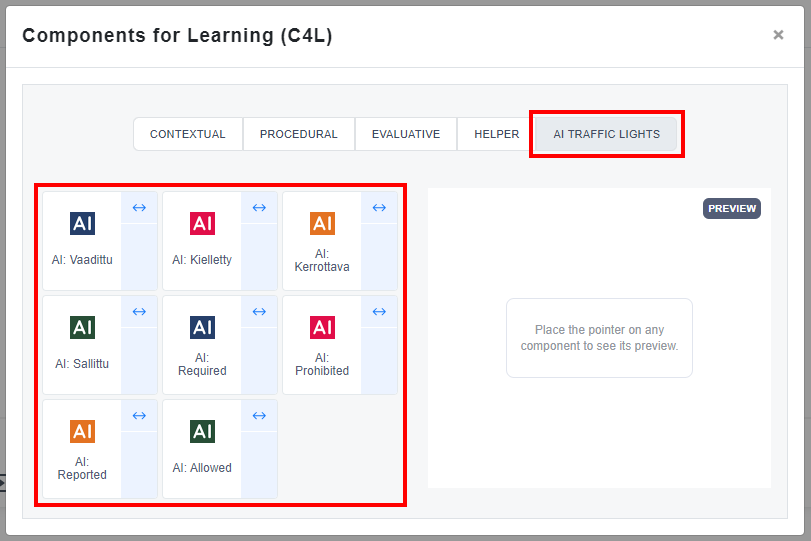
Select AI traffic lights -tab and choose the AI traffic light to insert. There are eight options: four traffic lights in Finnish and four in English.
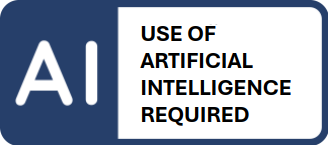
Required, must be used, must be reported, affects assessment
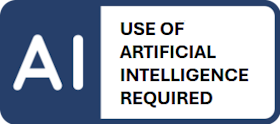
Artificial intelligence must be used to create the output. The student must report how he/she has used AI. Failure to use AI will affect the assessment.
When?
This option is a good choice when a teacher wants to ensure that students have the opportunity to apply artificial intelligence during their studies.
Example:
- How can it be used? The use of artificial intelligence to support your own learning is permitted without separate notification. AI can be used, for example, to support brainstorming, build a knowledge base, search for information, and assess your own skills and learning. In this assignment, the use of AI is required and must be used in creating the output in accordance with the learning assignment instructions.
- How should its use be reported? When submitting your work, you must clearly describe which AI application was used to create the output, for what purpose, and how it was used. The description must correspond to the actual use.
- How does this affect the assessment? AI is not a source, and facts and references must be verified from reliable sources. In the assessment, special attention is paid to ensuring that your own thinking, analysis, and reflection are distinct from the content generated by the AI. Failure to use AI or to report its use will affect the assessment as described by the teacher.
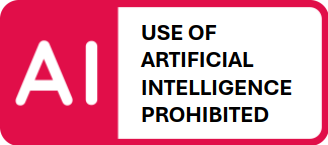
Prohibited, not to be used
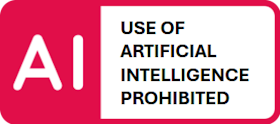
The output must be created without the help of artificial intelligence. The use of AI will be interpreted as fraud.
When?
This option is a good choice when a teacher wants to ensure that students demonstrate basic skills and knowledge without the assistance of artificial intelligence.
Example:
- How can it be used? The use of artificial intelligence for preliminary preparation is permitted. In this assignment, AI may not be used to create the final product.
- How should its use be reported? You do not need to report the use of AI when it is used solely for preparatory work and not as part of completing the learning assignment or submitting the final product.
- How does this affect the assessment? The assessment is based on the student’s own competence and independently produced content. The use of AI is interpreted as fraud and affects the assessment as described by the teacher.
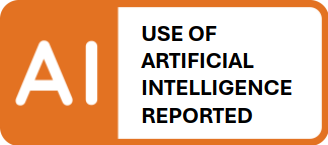
Allowed, can be used, must be reported, affects assessment
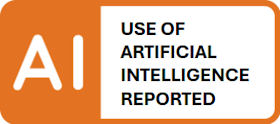
Artificial intelligence can be used in the creation of the output, but the student must clearly report its use. Failure to disclose the use of AI will be interpreted as fraud. The use of AI may affect the assessment.
When?
This option is a good choice when a teacher wants to encourage students to use artificial intelligence responsibly and transparently.
Example:
- How can it be used? Using artificial intelligence to support your own learning is permitted without separate notification. You can use AI, for example, to support brainstorming, build a knowledge base, search for information, and assess your own skills and learning. In this assignment, AI may be used to create the final product in accordance with the learning assignment instructions
- How should its use be reported? When submitting your work, you must clearly describe which AI application was used to create the output, for what purpose, and how it was used. The description must correspond to the actual use.
- How does this affect the assessment? AI is not a source, and facts and references must be verified from reliable sources. The assessment emphasizes the student’s own thinking, analysis, and understanding. Content generated directly by AI does not, as such, meet the assessment criteria and affects the assessment as described by the teacher. Failure to report the use of AI is interpreted as fraud.
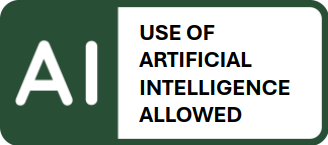
Allowed, can be used, need not be reported
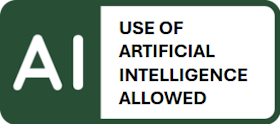
Artificial intelligence can be used freely and without report to create the output. The use of AI does not affect the assessment.
When?
This option is a good choice when the teacher wants to allow the free use of AI and it does not add significant value to the assignment.
Example:
- How can it be used? The use of artificial intelligence to support your own learning is permitted without separate notification. AI can be used, for example, to support brainstorming, build a knowledge base, search for information, and assess your own skills and learning. In this assignment, you may freely use AI to create your work.
- How should its use be reported? You do not need to report the use of AI. However, if you wish, you may mention the use of AI as part of the description of your work.
- How does this affect the assessment? The use of AI does not affect the assessment; rather, the assessment is based on the work to be evaluated as specified in the assignment.
What does output mean?
Output means the final work or competence produced by a student that meets the objectives of the given learning task. This may be an essay, research report, presentation, project or other concrete work that demonstrates the student's understanding and application of the subject matter.
AI guidelines in teaching and learning at Tampere universities
For teachers:
For students:
Additional information
Instructions in Finnish
Adding AI traffic light with old Atto text editor or adding it to other Moodle
1) Download the AI traffic light images to your computer:
- Use of artificial intelligence required
- Use of artificial intelligence prohibited
- Use of artificial intelligence reported
- Use of artificial intelligence allowed
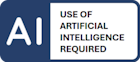

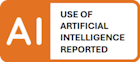
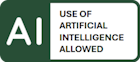
2) Edit the content in Moodle:
- Add the AI traffic light image from your computer to the content and give the image a description with the name of the AI traffic light, for example "Use of artificial intelligence required".
- Add a hyperlink to the image pointing to the student guide for AI traffic lights, using the link address: https://tuni.fi/ai-traffic-lights
AI traffic light images for other materials